. Standard US prices before tax or promotions. Product facts come from the official provider pages linked in each review. We did not run a hands-on benchmark.
Key takeaways
Key takeaways
Choose the budgeting method first. Zero-based, envelope, and tracking-first apps ask for different habits.
Zerosum is the lower-cost paid zero-based option here. Basic is manual, Pro adds bank sync and more seats.
EveryDollar and Goodbudget budget free but charge for bank feeds. Rocket Money's free plan limits custom categories.
Couples should look for separate logins against one shared plan, not one password passed between two phones.
Investment and net worth coverage matter if the budget has to connect monthly decisions with long-term progress.
We make Nethaven, so this comparison is not neutral. We reviewed official product, pricing, and help pages for each app. No provider paid for placement, and there are no affiliate links. This was a research review, not a hands-on test. We apply the same standard to Nethaven, including the limits of its institution and regional connection coverage.
Budgeting method
We separated planning-first systems such as zero-based and envelope budgeting from tracking-first apps that mainly explain what already happened. One asks you to make decisions before spending. The other reduces upkeep. The right choice depends on which habit you will maintain.
How transactions stay current
We checked whether each app supports automatic bank feeds, file import, manual entry, or a mix. We also called out when bank sync is restricted by plan or country rather than treating every connection claim as equal.
Households and platforms
Separate partner logins, web access, and Android support matter as soon as more than one person uses the budget. A strong solo iPhone app can still be the wrong household choice.
The rest of the financial picture
Budgets eventually touch debt, goals, subscriptions, investments, and net worth. We noted where an app connects those jobs and where its narrow focus is part of the appeal.
Real recurring cost
We used standard US prices from official provider pages, not temporary promo codes. When a provider uses variable pricing, we say so instead of publishing a range that may be stale. App stores, taxes, regions, and new-customer offers can still change the checkout price.
We also considered Empower. We left it out because its official budgeting widget supports one overall monthly spending target, not category goals. It remains relevant for net worth and investment tracking, but it is not a close match for the category budgeting apps compared here.
Full reviews
The apps, one by one
Best for budgeting beside multi-asset net worth · Our app
Nethaven
$9.99/mo or $99.99/yr
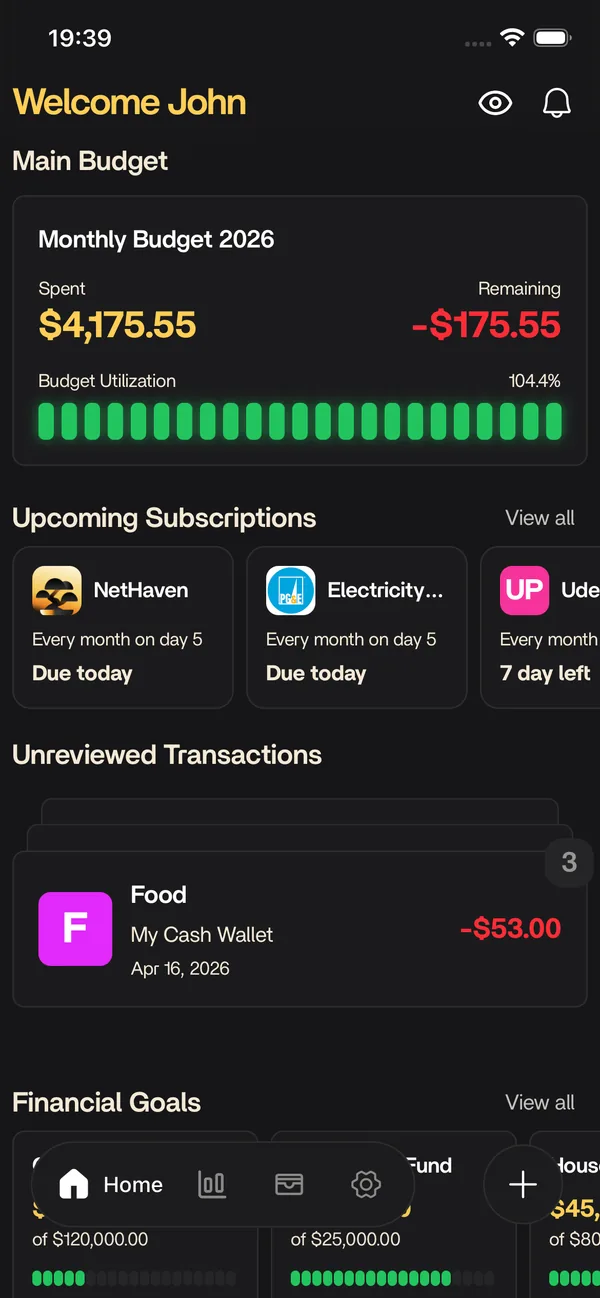
Choose Nethaven when the budget needs to sit beside a household's investments, property, crypto, debt, goals, and subscriptions. It combines brokerage and crypto connections, manual accounts, CSV imports, and scan-assisted entry in one review workflow.
Method
Flexible category budgets
Transactions
CSV, manual, scans, and brokerage or crypto connections
Platforms
iOS, Android, Web
What works
Flexible categories without forcing one budgeting doctrine
Brokerages, crypto, property, debt, goals, and subscriptions sit beside the budget
Household members use separate logins for one shared plan
CSV import and receipt or screenshot scans reduce data entry
What to watch
Bank sync and transaction rules are on the roadmap, not live today
No permanent free tier after the trial
Brokerage connection coverage depends on institution and region
People who want a strict zero-based method may prefer YNAB, Zerosum, or EveryDollar
Choose YNAB when you want a budgeting method, not another spending dashboard. Its zero-based system asks you to assign the money you have, then adjust the plan as life changes. The tradeoff is more setup and regular attention than a tracking-first app.
Method
Give every dollar a job
Transactions
Bank sync and file import
Platforms
iOS, Android, Web
What works
A mature zero-based method with extensive education and workshops
Bank import plus file-based import for unsupported institutions
One subscription can be shared with up to five other people
Strong targets, debt planning, and category rollover workflows
What to watch
The method takes more setup and attention than a tracking-first app
Investment and broader net worth tracking are limited
Choose Zerosum when you want a zero-based budget with goals, recurring transactions, reports, loans, and household sharing at a lower annual price than YNAB. Basic is designed for manual and file-based workflows. Pro adds automatic bank sync and expands sharing from one other member to five seats.
Method
Give every dollar a job
Transactions
Manual and file import; Pro bank sync
Platforms
iPhone, Web, installable PWA
What works
Zero-based categories, flexible goals, recurring transactions, and loan tracking
Imports CSV, OFX, QFX, and QIF files, plus full budgets from YNAB or Actual Budget
Basic includes one shared-budget member; Pro supports up to five seats
Reports cover spending, cash flow, forecasts, savings rate, and net worth
What to watch
No permanent free plan after the introductory Pro month
Automatic bank sync requires Pro
Android, Mac, and Windows use an installable web app rather than native apps
Non-US and non-Canadian bank sync uses Lunch Flow and is limited to four institution connections
Best for couples who want connected accounts and a strong web app
Monarch Money
Core $14.99/mo or $99.99/yr; Plus $199.99/yr
Choose Monarch when two people need connected accounts, separate logins, shared budgets, goals, reports, and investment tracking. Its category and flex budgeting options make it less prescriptive than YNAB. Unlimited collaborators are included, but there is no permanent free plan.
Method
Category or flex budgeting
Transactions
Automatic bank sync
Platforms
iOS, Android, Web
What works
Two budgeting systems support detailed categories or a broader flex number
Unlimited collaborators can use separate logins
Reports, investment tracking, goals, and connected accounts share one plan
Full web, iOS, Android, and iPad access
What to watch
No permanent free tier
More product than someone who only needs a simple envelope budget
Available only in the US and Canada
Crypto and alternative-asset tracking are lighter than specialist tools
Choose Copilot Money when your household uses Apple devices and wants automated spending, budget, investment, subscription, and net worth tracking in one app. It currently works on the web, iPhone, iPad, and Mac, with US accounts only. There is no Android app.
Method
Automated category budgets
Transactions
Automatic account sync
Platforms
iPhone, iPad, Mac, Web
What works
Automatic categorization with a workflow for reviewing new transactions
Spending, budgets, investments, subscriptions, and net worth share one app
Direct integrations include Apple Card, Venmo, and Coinbase
Web access complements the iPhone, iPad, and Mac apps
What to watch
No Android app
US accounts only
Monthly or annual subscription with no permanent free tier
Best for finding subscriptions and lowering recurring bills
Rocket Money
Free basic; choose-your-own-price Premium
Choose Rocket Money when subscription cleanup matters more than detailed monthly planning. The free plan covers basic budgeting, subscription tracking, and bill reminders. Premium adds more budget controls, cancellation help, and bill negotiation, with a price the subscriber chooses from the options shown at checkout.
Method
Tracking-first category budgets
Transactions
Automatic bank sync
Platforms
iOS, Android, Web
What works
Free tools cover basic budgeting, subscription tracking, and bill reminders
Premium adds unlimited budgets, custom categories, rules, goals, and web access
Subscription cancellation and bill negotiation are unusual in this category
Premium uses choose-your-own-price billing
What to watch
The free plan limits custom budget categories
Automatic account connections support US financial institutions only
Successful bill negotiations cost 35% to 60% of the first year's savings
Investment analysis is not the product's main strength
Best for ramsey followers and free manual zero-based budgeting
EveryDollar
Free manual; $17.99/mo or $79.99/yr Premium
Choose EveryDollar when you follow Ramsey's Baby Steps or want a simpler zero-based budget with a useful manual free plan. Premium adds automatic bank transactions, reports, goals, and coaching. Its prescriptive method and US-only paid experience rule it out for some households.
Method
Zero-based budgeting
Transactions
Manual free; bank sync paid
Platforms
iOS, Android, Web
What works
The free version has unlimited budget categories and manual transactions
A focused zero-based workflow with sinking funds and bill dates
Premium adds bank connections, reports, CSV export, and a financial roadmap
Available on the web as well as mobile
What to watch
Automatic bank transactions require Premium
The mobile app and Premium plan are US-only
The Ramsey method is prescriptive if you want a more flexible system
Choose Goodbudget when you want to fill digital envelopes before spending and do not mind entering transactions yourself. Its free plan supports 20 envelopes and two devices, enough for a small shared budget. Automatic US bank sync and unlimited envelopes require Premium.
Method
Envelope budgeting
Transactions
Manual free; US sync paid
Platforms
iOS, Android, Web
What works
A free-forever plan with 20 envelopes across two devices
Straightforward envelope budgeting without a large feature stack
Web, iPhone, and Android apps stay in sync
Premium supports five devices, unlimited accounts, and seven years of history
What to watch
The free plan is limited to one account and manual entry
Automatic bank sync is Premium and US-only
Investment and broad net worth tracking are outside its focus
Choose PocketGuard when you want one quick answer to how much is left to spend. Its Leftover and Pace views account for bills, goals, debt payments, and recent spending. It also supports several budgeting methods, but household collaboration and investment analysis are limited.
Method
Flexible, zero-based, envelope, or 50/30/20
Transactions
Bank sync in the US, Canada, and UK
Platforms
iOS, Android, Web
What works
Leftover and Pace views make overspending visible before month-end
Supports custom, zero-based, envelope, and 50/30/20 budgets
Includes debt payoff, subscriptions, goals, rules, and transaction import or export
Available on the web, iPhone, Android, and Apple Watch
What to watch
No dedicated multi-user household workflow
Investment tracking is basic
Automatic bank coverage is limited to the US, Canada, and UK
Start with YNAB or EveryDollar. Both make the plan the product, not a report attached to a transaction feed. YNAB is deeper and more flexible. EveryDollar is simpler and closer to Ramsey's debt-first system.
You want less maintenance
Monarch, Copilot Money, Rocket Money, and PocketGuard start from connected accounts and automate more of the tracking. That saves data entry, but it does not force you to make spending decisions before the money leaves.
You budget with another person
Prioritize separate logins, shared categories, and access you can revoke. Our guide to a shared budget without shared passwords explains why the login model matters as much as the charts.
Your budget needs to connect to wealth
Nethaven, Monarch, and Copilot Money keep budgets beside net worth. The difference is emphasis. Compare the asset coverage in our best net worth apps roundup before assuming every investment tab covers the same accounts.
New to this? Start with our guide to building a budget from scratch before you pay for anything. A budget app either helps you plan money before you spend it or explains spending after it happens, and that distinction matters more than the feature count.
Guides
Build a budget that survives the app choice
Software can store the plan and update the numbers. You still have to set categories, decide what happens to leftover money, and agree on access with anyone who shares the budget.
Build custom categories, share a household plan with separate logins, import transactions from CSV or scans, and track debt, goals, subscriptions, brokerages, crypto, property, and net worth on iOS, Android, and web.
There is no universal winner. Choose YNAB for a mature zero-based method, Zerosum for a lower-cost zero-based plan, Monarch for connected household budgeting, Copilot Money for an Apple-first US setup, Rocket Money for subscription cleanup, or Nethaven for flexible budgets beside investments and multi-asset net worth. The best app is the one whose weekly upkeep matches your habits.
Not financial advice. Comparison accurate as of August 20, 2026. Features, institution coverage, and prices may change. Verify the linked provider page before subscribing. Product names are trademarks of their respective owners; this page uses nominative fair use for factual comparison only.