1
Bring data together
Bring supported accounts or your own files into one place, then keep uncertain rows visible for review.
Nethaven features
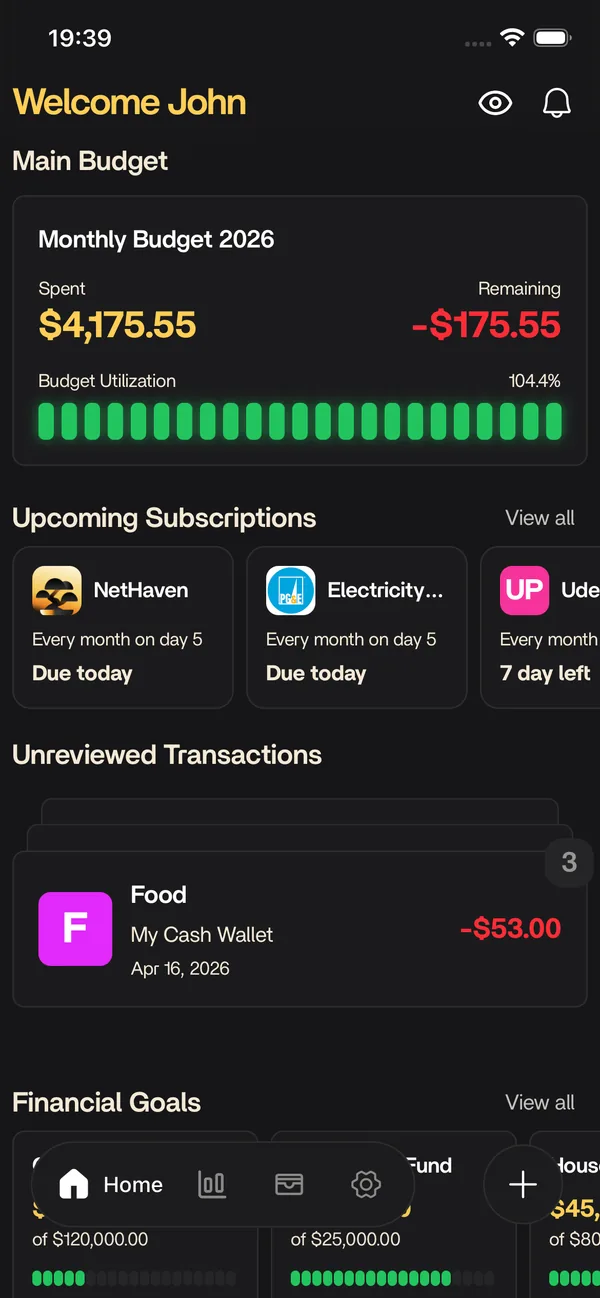
Nethaven is a personal finance app for iOS and Android that brings accounts, transactions, budgets, portfolio, debt, goals, and subscriptions into one view. Choose a question below to see what the app does today, where review or provider coverage matters, and which feature takes you deeper.
The short answer
Set a plan for spending, review the transactions behind it, then connect the same context to net worth, debt payoff, savings goals, and recurring charges. Supported providers can reduce data entry, while manual accounts, imports, scans, and review steps keep the workflow useful when a connection or automation is unavailable.
Choose a question to see the Nethaven action, the review step, and the answer you can expect from this feature.
Nethaven flow
Manual-first today1. Your question
Where did my money go this month?
2. Nethaven action
Nethaven compares reviewed transactions with your category limits, then surfaces the rows that still need a decision.
3. Ready to preview
Run this sample to move from intent to a result.
This is an interactive explanation, not a live account connection. The sample values are illustrative, and provider coverage, plan, region, and device determine what appears in your account.
A connected workflow
The feature pages follow the questions people ask in order. Bring in the data, make a plan, then zoom out or automate the parts that repeat.
Bring supported accounts or your own files into one place, then keep uncertain rows visible for review.
Turn the data into decisions about spending, renewals, debt payoff, and the goals you are funding.
Zoom out to net worth, ask an approved assistant, or capture a manual purchase when a full app session is too much.
Explore every feature
Each page explains the current workflow, its boundaries, and the next useful setup guide.
A flexible budgeting app with category limits, review-first transaction workflows, and a clear plan for narrow merchant rules when they launch.
Explore BudgetingTrack stocks, ETFs, crypto, property, vehicles, and interest accounts in one net worth view alongside daily cash flow.
Explore Portfolio trackingConnect US checking, savings, credit, and loan accounts through Plaid, or add a manual account. Balances and transactions feed your budget and net worth.
Explore AccountsTrack loan and credit card payoff alongside savings goals funded from real cash flow, so debt and goals live in the same dashboard as your budget and net worth.
Explore Debt & goalsSubscription tracker that detects recurring charges from synced transactions, shows upcoming renewals and annual costs, and keeps manual entries in one list.
Explore SubscriptionsConnect Claude, ChatGPT, or Cursor to your Nethaven data through remote MCP. OAuth sign-in, no API key to copy. Requires Nethaven Pro.
Explore MCPLog an expense by voice without opening the app. Nethaven publishes Add Transaction, Monthly Expense Left, and Scan Receipt as iOS App Intents.
Explore Siri ShortcutsKnow before you start
Nethaven keeps the useful path visible without turning a preview into a promise. Your institution, region, plan, device, and the data you provide all shape what the app can do.
Budgets, category limits, transaction review, debt and savings goals, subscription review, and manual portfolio assets are useful with data you add or import. Supported account and brokerage connections can reduce data entry where coverage is available.
Plaid and SnapTrade availability varies by institution, account type, region, and provider settings. Crypto wallet coverage, MCP client support, Nethaven Pro access, and iOS Shortcut or Wallet automation support have their own requirements.
Budgeting's automatic transaction rules and its live bank-feed workflow are planned, so the budgeting preview shows the intended review sequence rather than background automation. Imported, scanned, or connected data can still need review.
Connections are read-only, and Nethaven does not move money, place trades, cancel subscriptions, or provide investment advice. Read thesecurity overviewfor data handling, use thehelp centerfor setup steps, or compareNethaven Pro pricingwhen a plan-dependent feature is relevant.
Free to download
Budgets, net worth, debt, goals, and subscriptions stay current on iOS, Android, and web instead of living in a spreadsheet.