Features
Accounts
Connect US checking, savings, credit, and loan accounts through Plaid, or add a manual account. Balances and transactions feed your budget and net worth.
The short answer
What accounts does for you
Connect a supported US bank or credit account through Plaid to import balances and transactions into Nethaven, then review the imported data alongside your budget and net worth. The connection is read-only, availability depends on Plaid, the institution, account type, and region, and manual accounts are available when automatic linking is not.
Looking for the next step? Connect a bank account puts this feature in context with the rest of Nethaven.
Live account flow
Bring a balance into view
Connect a supported bank account through a read-only provider flow, or keep an unsupported institution in Nethaven manually.
Everyday checking
Checking · Sample Bank
$3,840.21
Travel credit card
Credit card · Sample Card Co.
-$624.10
Total account balance
$3,216.11
Checking, savings, and credit
Start with the accounts you use most. Add the rest when you need the full picture.
Nethaven bank connections are read-only. The secure provider flow handles your institution sign-in, and Nethaven does not store your bank username or password on its servers.
Illustrative sample flow. It does not open a live provider connection or use real financial data.
At a glance
What you get
- Supported US bank and credit connections through Plaid
- Automatic balance and incremental transaction sync after connection
- Read-only permissions, with no transfers or changes at your bank
- Manual accounts for unsupported institutions and regions
- Encryption in transit and at rest, with bank logins not stored on Nethaven servers
- One account view for budgets, transaction review, and net worth
Live account flow
Bring a balance into view
Connect a supported bank account through a read-only provider flow, or keep an unsupported institution in Nethaven manually.
Step 1 of 2
How do you want to add it?
Nethaven bank connections are read-only. The secure provider flow handles your institution sign-in, and Nethaven does not store your bank username or password on its servers.
Illustrative sample flow. It does not open a live provider connection or use real financial data.
How it fits into Nethaven
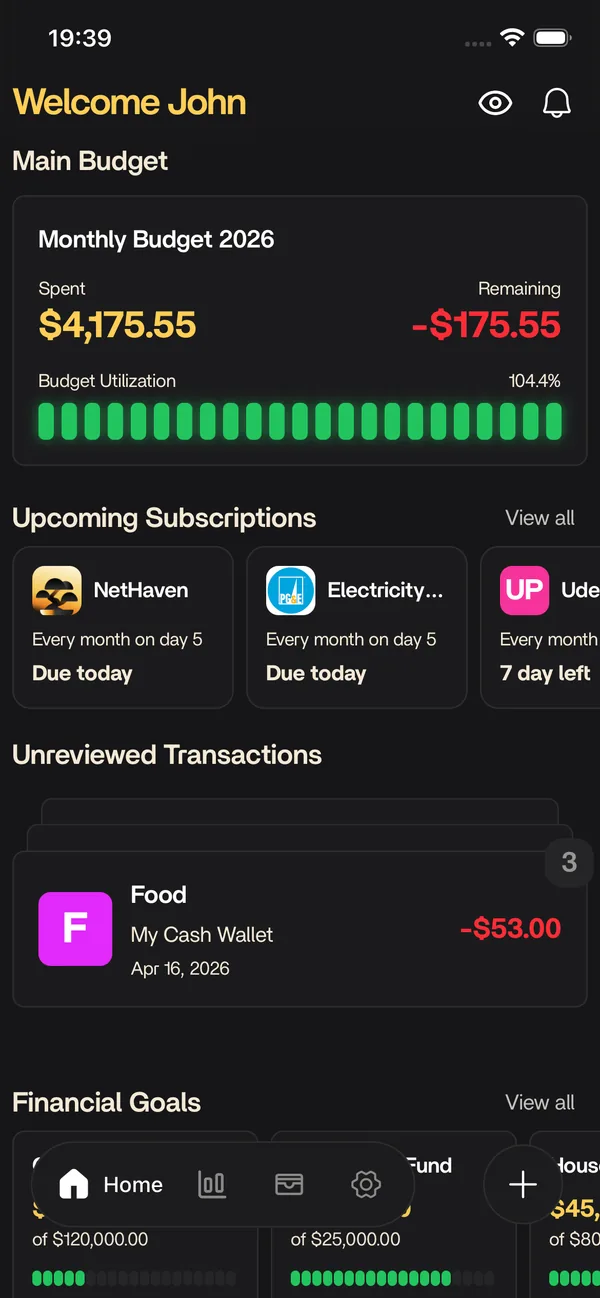
Nethaven is a personal finance app for iOS and Android that connects brokerages through SnapTrade, crypto wallets, and manual assets into one dashboard. Accounts is part of that unified view, so you are not exporting CSVs or reconciling separate tools every month.
Use categories and limits to stay on plan, then zoom out to net worth, debt payoff, savings goals, and subscriptions without losing context. Household invites let partners share an organization budget while each person keeps their own login.
How a connected account gets into Nethaven
Start from the account area and choose the bank connection option. The current web account flow uses Plaid when the feature is enabled and the region check passes. Your institution sign-in happens inside the provider flow, so you do not hand banking credentials directly to Nethaven. The connection is read-only: Nethaven can receive account metadata, balances, and transaction data, but it cannot move money, initiate transfers, place trades, or change anything at your bank.
After authorization, Nethaven creates or updates the selected checking, savings, credit, or loan accounts with the balance returned by the provider. Later syncs can refresh balances and bring in new or changed transactions. Imported transactions can then feed your review queue, categories, rules, budgets, and net worth view. Review the imported accounts and transactions before relying on a report, especially when one institution exposes several account types.
What automatic bank sync supports today
Plaid bank connections are currently limited to supported US regions in the account UI, and the remote feature flag can temporarily disable the connection flow. Institution and account-type coverage still comes from the provider, so a US bank is not guaranteed to be available. Nethaven is available worldwide, but an account's automatic connection coverage can differ from the app's availability in your country.
If Plaid or your institution is not available, add the account manually instead. Manual accounts can represent depository, credit, loan, investment, or other balances and can hold transactions or portfolio data without an external provider. They do not refresh automatically, so update the balance yourself when it changes. That tradeoff lets budgets, goals, debt tracking, and net worth stay useful without promising a connection that is not available.
Security and control boundaries
Nethaven does not store your bank username or password on its servers. Data received for the dashboard is encrypted in transit using TLS 1.2 or higher and sensitive data is encrypted at rest. You can disconnect a linked institution from in-app settings to stop future syncing, or revoke the authorization from your bank's site or app.
A connected account is a read-only view of financial data, not a payment or trading control. Nethaven does not act as a bank, broker-dealer, custodian, or money services business, and it does not hold customer funds. Use the Security & data handling and Privacy Policy resources below for the complete data-handling details.
Know before you start
Current product limitations
US Plaid flow today
The current account UI gates automatic Plaid bank linking to supported US regions, and institution and account-type coverage can vary.
Read-only connections
Nethaven reads balances and transactions, but it cannot move money, initiate transfers, place trades, or change your bank account.
Manual means manual
A manual account keeps your dashboard complete, but its balance and transactions do not refresh from a provider.
Availability can change
The connection provider can be disabled temporarily, and institution coverage can change over time. Use the in-app flow to confirm availability.
Data sync depends on institution availability. Check the in-app connection flow for brokerages supported in your region. Not investment advice.
FAQ
Questions before you start
Keep exploring
Related resources
Free to download
Track it automatically in Nethaven
Budgets, net worth, debt, goals, and subscriptions stay current on iOS, Android, and web instead of living in a spreadsheet.