Features
Debt & goals
Track loan and credit card payoff alongside savings goals funded from real cash flow, so debt and goals live in the same dashboard as your budget and net worth.
The short answer
What debt & goals does for you
Nethaven keeps debt balances and savings goals in one planning view. Choose a debt or goal, set an extra monthly amount, and see an illustrative payoff or progress projection alongside your budget and net worth. Nethaven records the plan and reflects available account data, but it does not send payments, move money, or guarantee a payoff date.
Looking for the next step? Debt payoff calculator puts this feature in context with the rest of Nethaven.
Two ways to move forward
Keep payoff and saving in the same view
See the balance you are reducing and the goal you are building before choosing the next monthly action.
Credit card
Remaining balance
$2,480
19.9% APR sample balance
Emergency fund
Saved so far
$4,320
$6,000 target
Illustrative sample data. This preview estimates a scenario and does not sync a balance, execute a payment, or move money.
At a glance
What you get
- Payoff tracking for loans and credit card balances
- Savings goals with target amounts and progress
- Goal funding from real cash flow, not estimates
- Debt and goals shown next to budgets and net worth
- Milestones that update as balances change
Plan a next step
Move one debt or goal forward
Choose what matters this month, set an extra amount, and see how Nethaven would update the plan in the same money view.
2. Set the Nethaven action
Credit card debt
This action changes the sample plan only. Nethaven does not execute a payment or transfer.
3. See the updated result
Credit card payoff projection
$235
12 months
$669
Payoff path
Draft scenario, ready to apply in the preview.
$2,286 remaining
$2,286
Debt account
Credit card · 19.9% APR
| Plan | Monthly payment | After next payment | Status |
|---|---|---|---|
| Extra payment plan | $235 | $2,286 | Preview only |
Extra payment plan
After the next payment
$235 / month
$2,286 remaining
- Credit card19.9% APR
- Calculation assumptionNo new charges
Illustrative projection only. Debt math uses a fixed 19.9% APR, a steady payment, and no new charges or fees. Goal math assumes the same monthly contribution continues. Not financial advice.
Illustrative sample data. This preview estimates a scenario and does not sync a balance, execute a payment, or move money.
How it fits into Nethaven
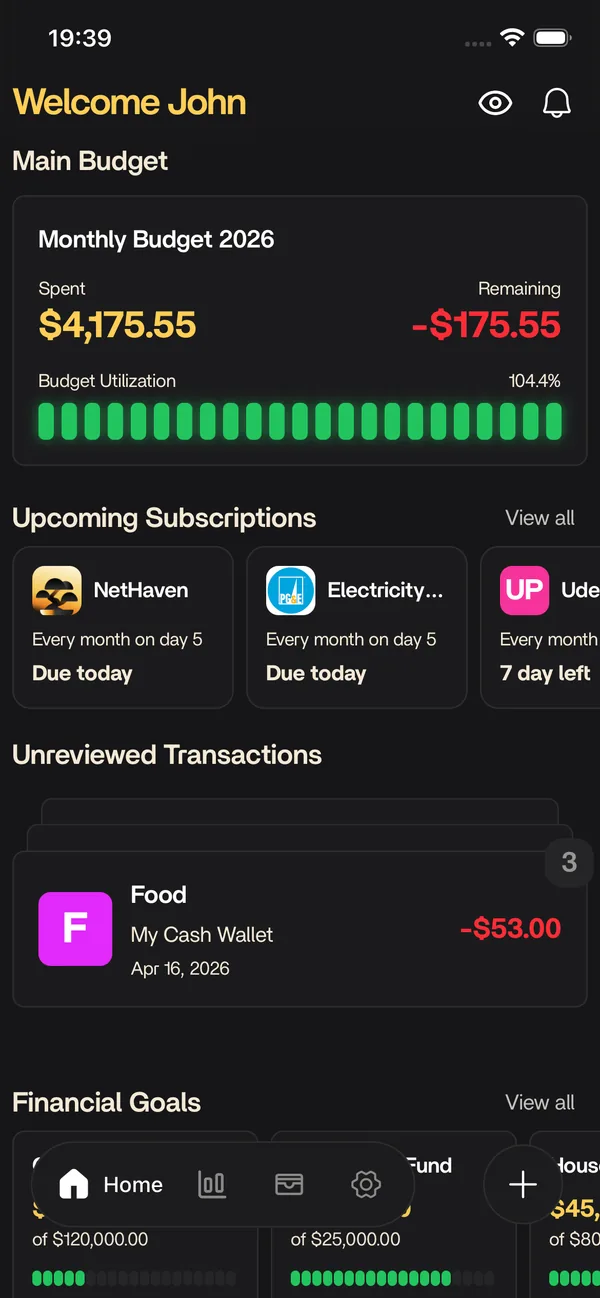
Nethaven is a personal finance app for iOS and Android that connects brokerages through SnapTrade, crypto wallets, and manual assets into one dashboard. Debt & goals is part of that unified view, so you are not exporting CSVs or reconciling separate tools every month.
Use categories and limits to stay on plan, then zoom out to net worth, debt payoff, savings goals, and subscriptions without losing context. Household invites let partners share an organization budget while each person keeps their own login.
How debt payoff tracking works
Start with a loan or credit card balance, its current minimum payment, and the payoff milestone you want to watch. Nethaven puts that debt beside your budget and net worth, so an extra payment is visible as a planning decision rather than an isolated number. Connected account data can refresh the balance and transactions when the institution is supported, while manual accounts give you a place to keep an entry current yourself.
The plan is a tracking and planning layer. Nethaven does not submit an extra payment to a lender, schedule a transfer, or choose which debt you should prioritize. Make the payment with your bank or card provider, then let the next available balance or transaction update show how the plan is progressing.
Savings goals that stay connected to cash flow
A savings goal has a target amount, a current amount, and a contribution pace you can compare with the rest of your month. Use it for an emergency fund, a move, a trip, or another specific purpose. Because goals sit next to budget categories and account activity, you can see whether the amount you want to contribute fits the cash flow already in your plan.
Nethaven can reflect contributions recorded in supported account data or entered manually, but the app does not move money into a savings account. Treat the goal as a shared view of your intention and your recorded progress, then make the transfer through your bank when you are ready.
What the payoff and progress projections mean
The interactive preview uses a fixed sample balance, a steady monthly amount, and a fixed interest assumption to show how an extra payment or contribution changes the scenario. It is illustrative math, not a promise. Actual debt timing depends on lender terms, daily interest, new charges, fees, rate changes, payment posting, and whether the full planned amount arrives on schedule.
Use the projection to compare scenarios and decide what to investigate next. It is not financial advice, a recommendation to borrow or invest, or a substitute for your lender's statement and terms. Check those terms, and consider qualified advice for a decision that depends on your circumstances.
Debt and goals in the same money view
The point of putting debt and goals together is context. A lower card balance can change net worth, a contribution can change the room left in a budget, and a subscription or large purchase can compete with both. Nethaven gives each decision a place in the same dashboard, so you can check the tradeoff before you commit to a new monthly amount.
For supporting detail, use the related budgeting and transaction rules resource to understand how categories and limits shape cash flow, then review the bank and credit account sync resource to see how connected data reaches the dashboard.
Know before you start
Current product limitations
Balance sync can lag
Connected balances and transactions depend on institution coverage and refresh timing. Manual accounts need your updates, and sync is not a live guarantee.
Payments stay with your provider
Nethaven tracks a plan and recorded progress. It does not execute card payments, lender payments, or transfers into a savings account.
Projections use assumptions
Illustrative payoff math assumes a fixed APR and steady payment, and excludes new charges, fees, and rate changes. Actual lender terms control.
Planning information only
The feature is for organizing scenarios, not personalized financial advice. Review your account and lender terms before acting.
Data sync depends on institution availability. Check the in-app connection flow for brokerages supported in your region. Not investment advice.
FAQ
Questions before you start
Keep exploring
Related resources
Free to download
Track it automatically in Nethaven
Budgets, net worth, debt, goals, and subscriptions stay current on iOS, Android, and web instead of living in a spreadsheet.