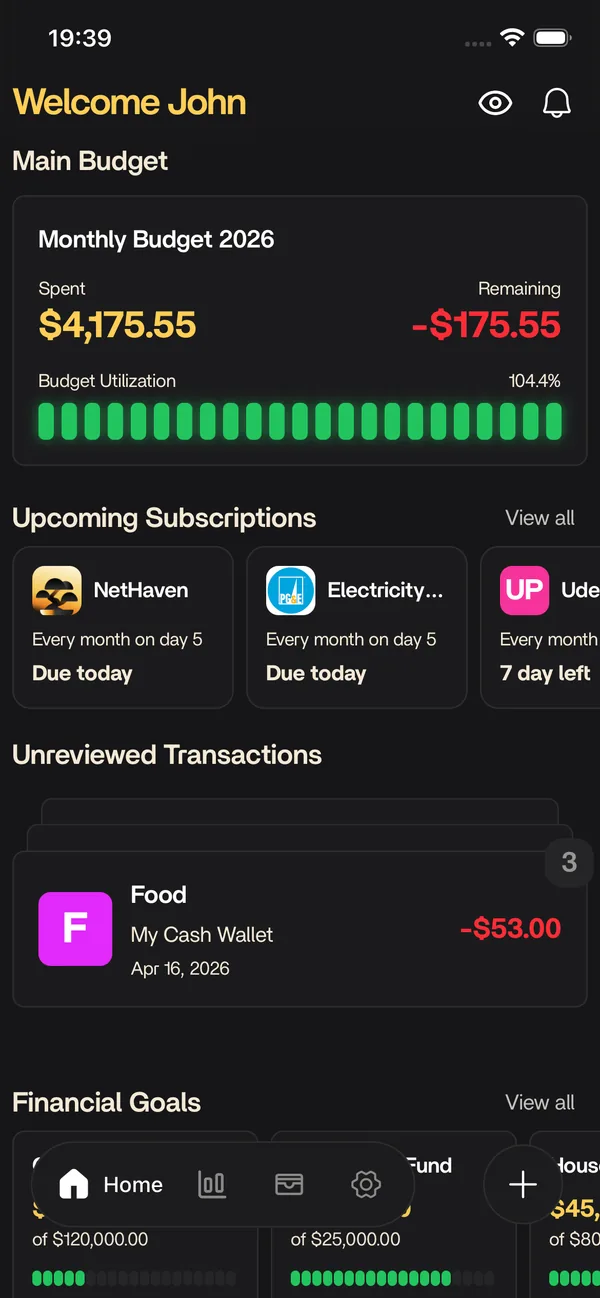
Features
Siri Shortcuts
Log an expense by voice without opening the app. Nethaven publishes Add Transaction, Monthly Expense Left, and Scan Receipt as iOS App Intents.
The short answer
What siri shortcuts does for you
Nethaven's iOS App Intents put Add Transaction, Monthly Expense Left, and Scan Receipt in Siri and Shortcuts. Add Transaction writes only to a manual account and leaves the new expense Uncategorized for review, so you can capture a purchase quickly without duplicating activity that already arrives through bank sync.
Looking for the next step? Setup guide puts this feature in context with the rest of Nethaven.
Quick actions
Put the common money tasks one phrase away
Choose an action, then let the live preview show how Nethaven turns the intent into a reviewable result.
Add Transaction
Capture a manual expense by voice
Monthly Expense Left
Ask what is left in the budget
Scan Receipt
Open the scanner for paper receipts
Interactive sample data. Nethaven's Shortcut actions are iOS-only App Intents and do not write to connected accounts.
At a glance
What you get
- Add Transaction: log an expense by voice, no app launch
- Monthly Expense Left: hear what is left in the budget this month
- Scan Receipt: open the scanner in one step
- Runs from Siri, the Action button, Back Tap, or a Home Screen icon
- Pair with a Wallet automation for eligible manual cards
- Writes to manual accounts only, so bank-linked purchases never double count
Try the flow
Choose a Shortcut, then watch the Nethaven action run
1. Choose a Shortcut action
Siri or tapThese are shipped with the iOS app as App Intents. There is no Android equivalent in this flow.
2. Send it to Nethaven
Add Transaction3. See each handoff
Run the sample to move from voice capture to a visible result.
- Choose
- Voice
- Intent
- Review
- Result
Say "Add a transaction in Nethaven" or press Run Shortcut to see the sample.
Add Transaction can write only to a manual account. A connected account is intentionally unavailable here, so an Apple Pay Wallet automation cannot create a second copy of a bank-synced purchase.
Interactive sample data. Nethaven's Shortcut actions are iOS-only App Intents and do not write to connected accounts.
How it fits into Nethaven
Nethaven is a personal finance app for iOS and Android that connects brokerages through SnapTrade, crypto wallets, and manual assets into one dashboard. Siri Shortcuts is part of that unified view, so you are not exporting CSVs or reconciling separate tools every month.
Use categories and limits to stay on plan, then zoom out to net worth, debt payoff, savings goals, and subscriptions without losing context. Household invites let partners share an organization budget while each person keeps their own login.
Why voice logging fixes the part that usually breaks
Bank-linked accounts keep themselves current with no effort, which is why nobody abandons tracking there. Tracking breaks on everything else: cash, the split bill you covered, the card you deliberately keep manual. Logging one of those means finding your phone, opening an app, waiting for a dashboard, and typing a number you are already misremembering. Twenty seconds of friction against a two second purchase is enough that most people quietly stop.
A Shortcut removes the app from the loop rather than asking you to be more disciplined. Amount, confirmation, done, usually before your wallet is back in your pocket. The work that genuinely needs a screen and two hands, deciding categories, still happens later during your normal review, where it belongs.
The three actions
Add Transaction records an expense against a manual account on your main budget. It takes an amount with its own currency, plus an optional merchant, account, and note. The account field is a live dropdown of your manual accounts, so you pick rather than type. Siri answers with a confirmation like "Added Tesco to Uncategorized", which tells you the write actually reached Nethaven instead of failing quietly.
Monthly Expense Left reports how much room is left across your budget for the current month, calculated from your budgeted expense categories minus what you have spent so far. It is the question worth asking before a purchase rather than after one, and it needs no app launch to answer.
Scan Receipt opens the receipt scanner directly. When there is paper in your hand, photographing it beats dictating a merchant name, and the scan captures line-level detail a voice entry never could.
Manual accounts only, on purpose
The account picker lists manual accounts and deliberately hides anything connected through a bank aggregator or brokerage link. A connected account already receives every purchase through sync, so logging the same coffee by voice would produce two records of one transaction. Duplicate cleanup costs far more time than the shortcut saves, so the limit is enforced rather than merely suggested.
The same care applies to naming. If a shortcut refers to an account that no longer matches one of yours, the action reports the error instead of guessing a destination. A silent fallback would be friendlier in the moment and much worse a month later, when a stack of expenses turns out to have landed in the wrong account.
Categories are left for review, not guessed
Shortcut expenses land in an Uncategorized category that Nethaven creates the first time it is needed. Nothing is inferred from the merchant name. This is the decision people question most, and it holds up: a category assigned from a garbled dictated merchant looks finished, so it never gets checked, and a wrong category that looks settled is worse for a budget than an obviously unsorted one.
What you get instead is a visible, finite queue at your next review. Transaction rules then shrink that queue over time by claiming the merchants that genuinely belong in the same category every time, while anything ambiguous stays in front of you. Capture by voice, sort on a screen.
Apple Pay automation
iOS can trigger an automation when you pay with a specific card in Wallet. Pointed at Add Transaction with Run Immediately enabled, and with the trigger's amount and merchant mapped onto the action's fields, tapping to pay logs the purchase with no interaction at all. It is the closest thing to automatic tracking for a card that no aggregator supports.
Two caveats worth stating plainly. Apple has moved this setting between iOS releases and not every card offers transaction automations, so the menu may not match a guide or may not exist for your card. And it belongs only on a card you track manually. Pointed at a bank-linked card it creates a duplicate of every purchase you make.
What you need to get started
Two one-time steps. Open the Nethaven iOS app and sign in once on the device, so the actions have a session to run against and an account list to offer. Then create at least one manual account for the expenses to land in. Because the actions ship inside the app as iOS App Intents, they appear as Nethaven actions in Shortcuts and Siri. Add one to a custom Shortcut if you want your own phrase, or invoke the action directly where iOS supports it.
From there, trigger them however suits the moment. Voice works in a queue, the Action button works with gloves on, a Home Screen icon works when you would rather not talk to your phone in public, and Back Tap works when your hands are full.
iOS only, with Wallet caveats
This flow is iOS-only because Nethaven ships these actions as Apple App Intents. Android users can still record transactions in the app, but Siri, Shortcuts, Action button, Back Tap, and Wallet automation support do not carry over to Android.
Wallet automations also depend on the iOS version, card, and region. Some cards do not offer a transaction trigger, and Apple can move the setting between releases. If the trigger is available, point it at Add Transaction with Run Immediately enabled, map its amount and merchant fields, and use a manual card only.
Know before you start
Current product limitations
iOS only
These actions are Apple App Intents, so Siri, Shortcuts, Action button, Back Tap, and Wallet automation support require iOS.
Manual accounts only
Add Transaction writes to manual accounts. Connected bank and brokerage accounts stay out of the picker to prevent duplicate records.
Review still matters
Shortcut expenses start in Uncategorized. Check the review queue and apply a rule when a merchant is reliably predictable.
Data sync depends on institution availability. Check the in-app connection flow for brokerages supported in your region. Not investment advice.
FAQ
Questions before you start
Keep exploring
Related resources
Free to download
Track it automatically in Nethaven
Budgets, net worth, debt, goals, and subscriptions stay current on iOS, Android, and web instead of living in a spreadsheet.